Register-InventorEvent
Specify an action or code that is executed before or after an event is triggered in Inventor.
The cmdlet provides the possibility to define an action and register it to an event.
Syntax
Register-InventorEvent -EventName <InventorEvent> -Action <Scriptblock | String> [-SourceIdentifier <String>] [<CommonParameters>]
Parameters
Type |
Name |
Description |
Default Value |
Optional |
|---|---|---|---|---|
EventName |
Name of the event in Inventor that is the trigger for the action. |
no |
||
Scriptblock / String |
Action |
Script block or function that gets executed for the specified Inventor event. |
no |
|
String |
SourceIdentifier |
Unique string which represents the registered event, required for unregister. |
new GUID |
yes |
Return type
Event ← on success
empty ← on failure
Remarks
The Cmdlet registers the passed action to a specific Inventor Event.
When a specific method of the Inventor API gets called then the according Inventor event is fired and powerEvents will execute the registered PowerShell action for this event.
The Inventor user gets notified about the Error when an exception is thrown within a registred script block or function. If an error occurs in an action that is registered to a pre-event, the post-event, if registered, is not executed.
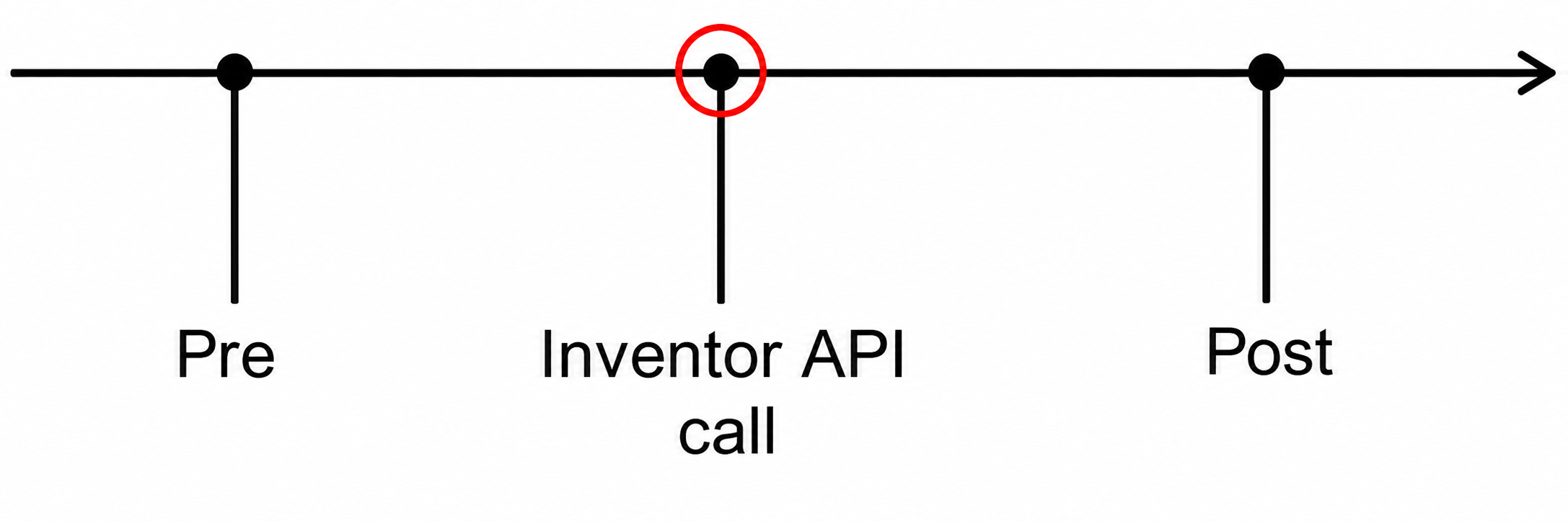
You can hook into 2 different stages for each event. They are executed in the following order:
Pre
Fires before the actual Inventor API call is executed.
Post
Fires after the actual Inventor API call has been executed.
Note
Events are only triggerd when Inventor is logged into Vault.
Created actions linked to events are active as long as they are not unregistered or Inventor is closed.
Registering multiple actions to the same event will trigger each of the actions in the order they were registered.
Examples
Registers a function that will be executed before a document is saved:
function Add-Log() {
   Write-Host -Object "SaveDocument_Pre event was executed..." -ForegroundColor Green
}

$event = Register-InventorEvent -EventName SaveDocument_Pre -Action "Add-Log"
Write-Host -Object "Registered event with name '$($event.Name)'"
The registered Scripblock will be executed after a file is saved in the save-dialog:
Register-InventorEvent -EventName FileSaveAsDialog_Post -Action {
   param($isSaveCopyAs, $result)

   Write-Host -Object "Saved file '$($result.FullFileName)'.'"
}